Best Frontend Development Stack in 2027: Languages, Frameworks & Styling Tools
Ask ten developers what the "best" frontend stack is and you'll get ten different answers, usually delivered with a lot of confidence. The honest truth is that the best choice depends on what you're building. But some tools have clearly pulled ahead in 2027, and a few once-popular ones are quietly fading. Here's a practical guide to what's actually worth learning and using.
The Languages: Learn These First
Before any framework or library, the foundation is three languages, and no tool replaces them.
HTML gives your page structure and meaning. Writing semantic HTML (proper headings, buttons, lists, labels) matters for accessibility and for SEO, and it's the part most people rush through.
CSS controls how everything looks. Modern CSS is far more capable than it used to be: Flexbox, Grid, custom properties (variables), container queries and nesting now cover things that once needed a preprocessor or a library. Understanding CSS properly makes every styling tool easier to use.
JavaScript, ideally with TypeScript. JavaScript runs the interactivity. TypeScript adds types on top, catching a whole category of bugs before your code ever runs, and it has become the default for serious frontend work, especially in teams.
If you're also curious about Sass/SCSS, it's still useful, especially for existing projects, but modern CSS has reduced how often you truly need it for new ones.
The Frameworks: Where to Build
React remains the most widely used frontend library, with the biggest ecosystem and job market. If you're unsure where to start, it's a safe choice.
Next.js is the most popular framework built on React. It adds routing, server rendering, API routes and strong SEO capabilities out of the box, which is why it's a common pick for business websites, SaaS products and anything that needs to rank on Google.
Vue and Svelte are both excellent alternatives. Vue is known for being approachable and well-documented; Svelte is loved for its simplicity and small output. Angular still has a strong place in large enterprise teams that value its structure.
The practical advice: pick one, go deep, and build real projects with it. Switching later is easier than people fear.
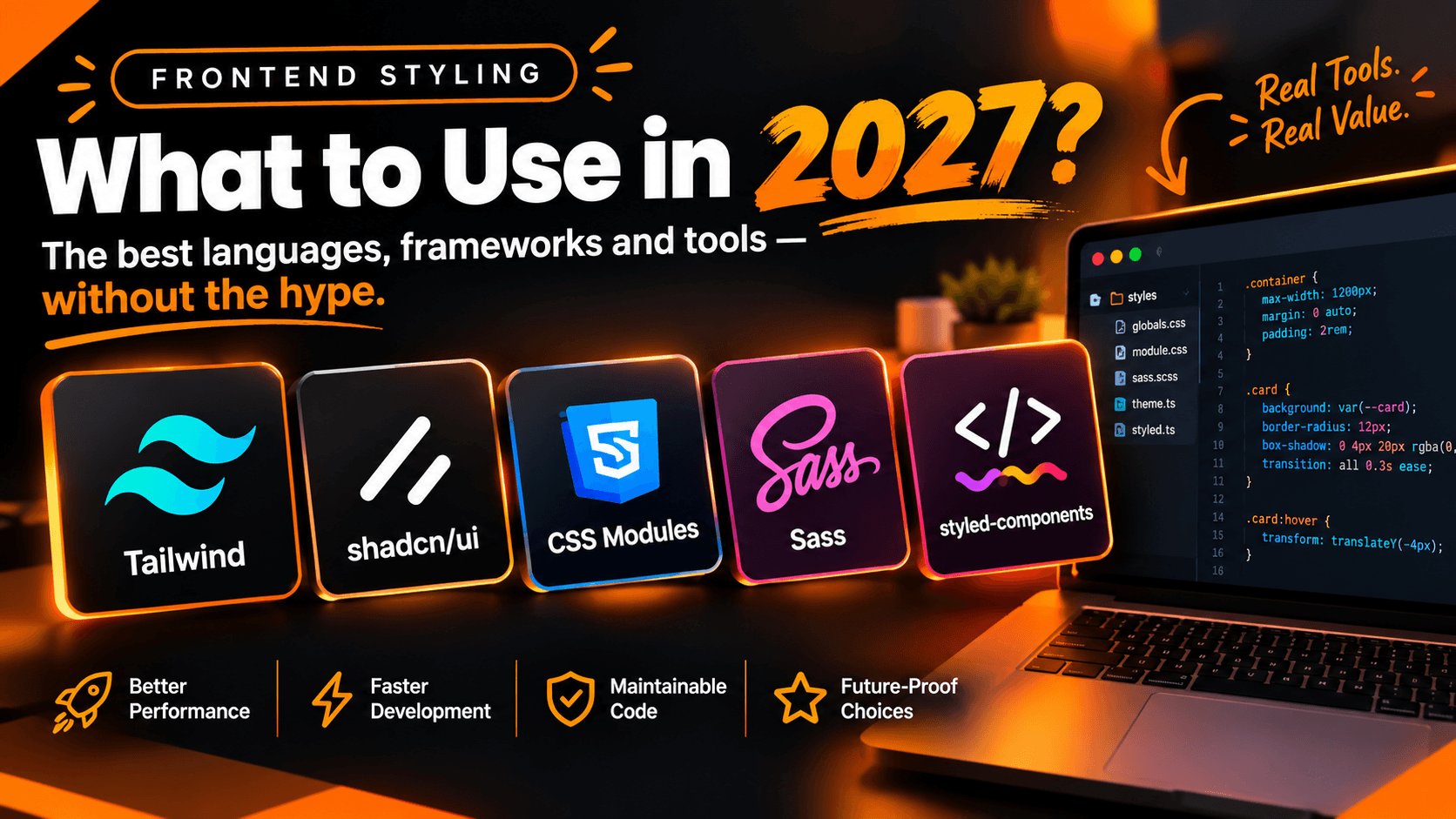
Styling: What's Winning in 2027
This is where the biggest shifts have happened.
Tailwind CSS: The Current Default
Tailwind CSS has become the default choice for most new projects. Instead of writing separate CSS files, you compose small utility classes directly in your markup. It feels strange at first and then very fast.
Recent survey roundups of the State of CSS data put Tailwind well ahead in active usage, with Bootstrap in second place. Version 4 moved Tailwind's configuration into CSS itself, which simplified setup further.
Best for: new web apps, startups, design systems, and anyone using React or Next.js. Watch out for: long class lists can get messy without good component structure, and it takes a little time to learn the class names.
CSS Modules: Simple and Dependable
CSS Modules let you write normal CSS that is automatically scoped to a single component, so styles never collide. There's no runtime cost and nothing new to learn beyond CSS itself.
Best for: component libraries and teams that prefer plain CSS.
Bootstrap: Still Alive, Still Useful
Bootstrap remains the second most used framework in the surveys. It gives you ready-made components fast, which is great for admin panels, prototypes and teams that want something familiar.
Best for: quick builds and internal tools. Watch out for: sites can end up looking generic unless you customize heavily.
Newer Zero-Runtime Options
Tools like Panda CSS, Vanilla Extract and UnoCSS generate styles at build time instead of running code in the browser. They're worth watching, especially for design-system-heavy teams.
CSS-in-JS: Be Careful Here
Libraries like styled-components and Emotion dominated React styling for years. Today they are generally declining for new app development, mainly because they add runtime cost and don't work well with React Server Components in the Next.js App Router. The styled-components maintainers have also put the library into maintenance mode. If you already use them, nothing breaks overnight, but for a new project, there are better choices.
Component Libraries: Don't Rebuild Everything
Building accessible dropdowns, modals and date pickers from scratch is slow and easy to get wrong. A good component library saves weeks.
shadcn/ui has become hugely popular, and it works differently from traditional libraries. Instead of installing a package, you copy the component code into your own project, so you fully own and can freely edit it. It pairs naturally with Tailwind. Recent coverage also notes the project moving toward Base UI as its default foundation for new projects, which is worth knowing if you're starting fresh.
Material UI (MUI) is a mature, feature-rich option with a huge component set, popular in enterprise and dashboard projects.
Chakra UI, Mantine and HeroUI are strong, modern alternatives, each with its own style and strengths. HeroUI, for example, is built around Tailwind v4 and accessible primitives.
Ant Design is a favorite for data-heavy admin interfaces.
Be cautious with older libraries such as Materialize and Semantic UI. Their long-term futures are uncertain, so check how actively they are maintained before building on them.
A Sensible Stack for 2027
If you want a simple recommendation that works for most projects:
- Language: TypeScript (on top of solid HTML and CSS)
- Framework: Next.js with React
- Styling: Tailwind CSS
- Components: shadcn/ui or a comparable accessible library
- Animations and icons: Framer Motion and Lucide
This is close to the stack I use for my own portfolio site, and it covers everything from fast marketing sites to full SaaS dashboards with good performance and SEO.
How to Choose for Your Own Project
- Building a business website or SaaS? Next.js + Tailwind + a component library.
- Building a quick internal tool? Bootstrap or MUI will get you there fastest.
- Building a reusable component library? CSS Modules keep things framework-neutral.
- Working on an existing project? Don't rewrite just because something is trending. Migrate only when there's a real reason.
The Bottom Line
The tools change quickly, but the pattern is steady: strong fundamentals in HTML, CSS and JavaScript matter more than any single framework, and the tools that win are the ones that are fast, accessible and easy to maintain. Pick a solid modern stack, learn it properly, and focus on building things people actually use.
Planning a new website or web app and not sure which stack fits your project? Feel free to get in touch — I'm happy to recommend what actually makes sense for your goals, not just what's trendy.